Installation
This page owns the agro CLI install, the PATH rules, the host tools, and the
persistent storage of a sandbox. The verb reference is in
Lifecycle commands.
You do not clone AGRO onto your host. You install the CLI, create a sandbox, and
work inside it. The CLI writes a registry entry under ~/.agro/sandboxes/<name>/.
agro vendor also writes .agro/ into a checkout. The CLI writes no
other file.
Prerequisites
| Dependency | Required for | Install |
|---|---|---|
| Docker with the Compose plugin | The sandbox | docs.docker.com/get-docker |
| Git | agro vendor --from-remote and agro workspace create | git-scm.com |
| Node.js ≥ 20 (24 recommended) | The agro CLI | nodejs.org, or let install.sh install nvm and Node 24 |
The host needs nothing else. pnpm, Python, and every agent CLI run inside the sandbox.
Get the CLI: agro
With Node.js ≥ 20 on the host, install the npm package
@mifune/agro:
npm install -g @mifune/agro          # puts `agro` on your PATH
npx @mifune/agro sandbox install docker   # or run it without a global install
npm does not install Node. Without Node, use install.sh. The script downloads
the prebuilt agro file from the latest GitHub release into ~/.local/bin/agro.
It clones nothing and builds nothing. When Node.js ≥ 20 is missing, the script
offers to install nvm and Node 24:
curl -fsSL https://github.com/mifunedev/agro/releases/latest/download/install.sh | bash
To review the script before it runs:
curl -fsSL -o install.sh https://github.com/mifunedev/agro/releases/latest/download/install.sh
# Read install.sh, then:
bash install.sh
source <(curl -fsSL https://github.com/mifunedev/agro/releases/latest/download/install.sh) installs agro and puts
it on the PATH of the current shell. After the piped form, run
export PATH="$HOME/.local/bin:$PATH" to do the same.
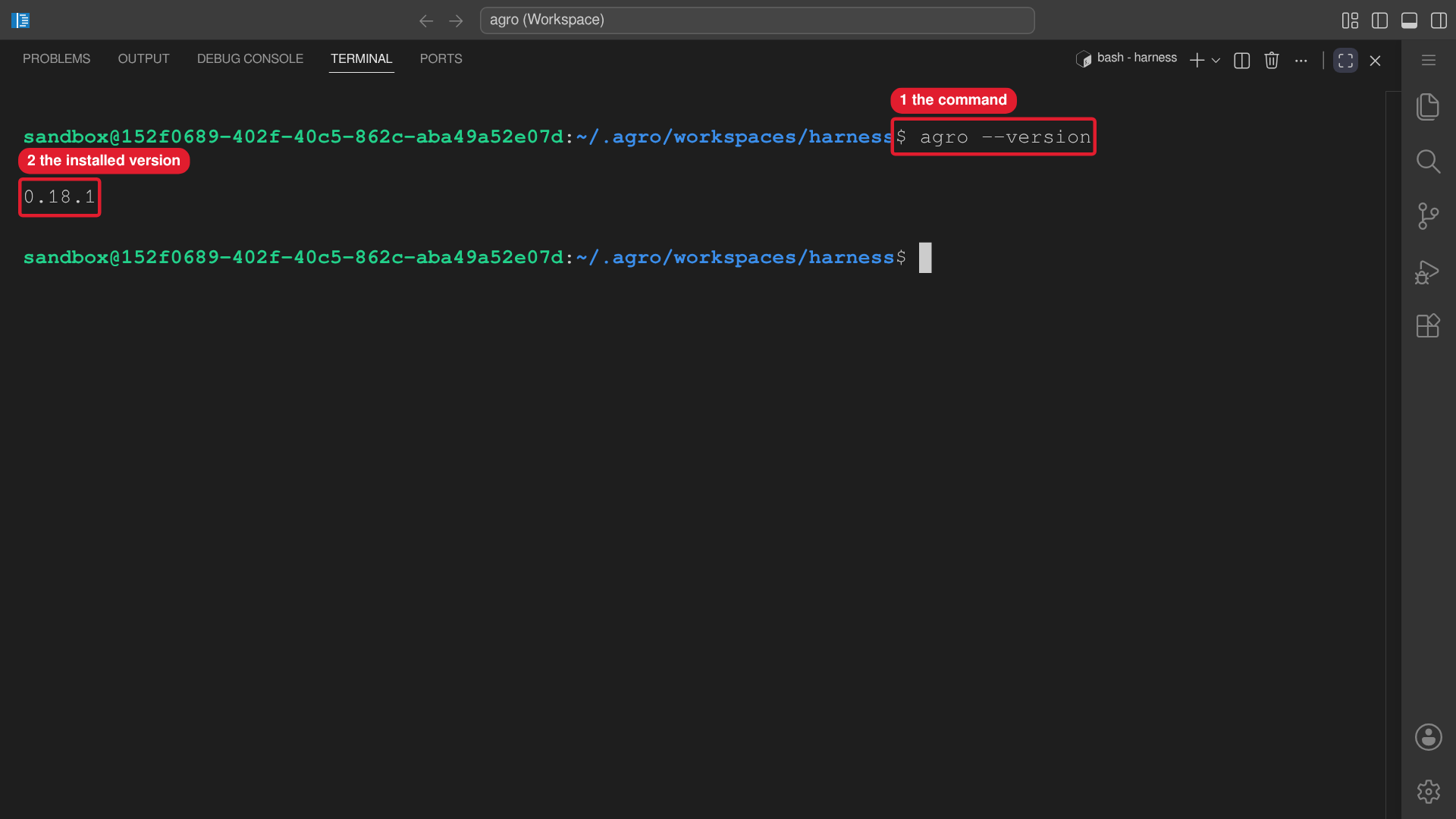 Callouts: 1 is the command. 2 is the installed version.
install.sh reads these options:
| Option | Effect |
|---|---|
AGRO_BIN_DIR=<dir> | Install location. Default: ~/.local/bin. |
AGRO_JS_URL=<url> | URL of the prebuilt agro file. |
AGRO_GITHUB_REPO=<owner>/<repo> | Repository whose latest release hosts the file. Default: mifunedev/agro. |
AGRO_NVM_VERSION=<tag> | nvm version for the Node install. |
AGRO_ASSUME_YES=1, --yes | Accept the Node install prompt. |
--no | Decline the Node install prompt. |
The script has no source-build fallback, so it reads no ref option.
Upgrade the CLI with agro self-upgrade. The alias is agro update. The upgrade
uses the mechanism that installed the running file and changes no project file.
See Lifecycle commands → agro self-upgrade.
Package and PATH rules
@mifune/agroships one executable,agro.- An npm install and an
install.shinstall can coexist.agro self-upgraderefuses when anotheragrocomes earlier on PATH than the file it replaces. Remove or reorder one install first. - The CLI reads only AGRO state:
~/.agro/, the.agro/control plane,agro.json, andAGRO_*variables.
Non-interactive shells
A login shell reads the PATH line that install.sh adds to your profile. A
cron job, a systemd unit, cloud-init, and ssh host cmd do not. In those
contexts, run agro by its absolute path, for example
/home/<user>/.local/bin/agro --version.
When node resolves under $NVM_DIR, install.sh links that Node to
~/.local/share/agro/node and sets the shebang of agro to that link. agro
then runs without nvm on PATH. agro self-upgrade keeps that shebang.
Create the sandbox
Run agro sandbox install docker on the host, from any directory:
agro sandbox install docker
The wizard asks for the sandbox name, the timezone, the git identity, SSH and
its host port, the host Docker socket, and the host path for /home/sandbox. It
writes ~/.agro/sandboxes/<name>/agro.json. --yes keeps every default. Change
a field later with agro config set --sandbox <name> <field> <value>. See
Configuration.
Without --checkout, the sandbox runs ghcr.io/mifunedev/agro:<CLI version>
and seeds its workspace from the image. To bind your own project at
/home/sandbox/harness, pass its host path:
agro sandbox install docker --checkout "$PWD" --name <your-project>
The sandbox builds locally only when <dir>/.devcontainer/Dockerfile exists. A
cold build takes about ten minutes. Image pins and build flags are in
Creating a sandbox.
Check the sandbox health from the host:
agro ps <name>
docker inspect --format '{{json .State.Health}}' <name>
A healthy sandbox has the /run/agro/bootstrap.ready file.
To find the failing check, run
bash /home/sandbox/harness/.agro/scripts/sandbox-healthcheck.sh in the sandbox.
Then continue with the Quickstart.
Equip an existing repo
agro vendor writes the .agro/ control plane into the current directory:
cd <your-project>
agro vendor                            # from the CLI's bundled payload
agro vendor --from-remote --ref v0.6.0 # or from a pinned public ref
agro vendor --from <local-checkout>    # or from a local checkout, offline
The same command equips an empty directory and upgrades an equipped one. It
writes no agro.json, .env, AGENTS.md, .gitignore, .devcontainer/, or
provider directory, and it never prompts. --from-remote uses public HTTPS only.
Flags are in Lifecycle commands → agro vendor.
What's installed
The image is Debian Trixie (slim). The sandbox user is in sudoers with
ALL=(ALL) ALL, so sudo asks for the password. agro sandbox install docker
generates a random SANDBOX_PASSWORD for each sandbox. Run
agro secret get SANDBOX_PASSWORD to read the generated value.
Agent CLIs
The image contains no agent CLI. Nothing installs one at boot. Run
agro harness install <id> to install one into ~/.local, inside the home
volume. Run agro harness list for every id. The installer pins every download
and verifies its checksum. If AGRO installed the harness, the command runs the
install command again and installs the latest version.
agro destroy removes the home volume and every install in it. See the
harnesses overview.
.zshrc sets these aliases:
claude  → claude --dangerously-skip-permissions
codex   → codex --dangerously-bypass-approvals-and-sandbox
agy     → agy --dangerously-skip-permissions
Tools
agro tool list shows every tool and its state. herdr, cloudflared,
agent-browser, microsandbox, tailscale, code-server, and ffmpeg are
installable:
agro tool install <name> puts a pinned, checksum-verified binary into
~/.local. The image ships gh and docker-cli, and agro tool install
refuses both tools. agro tool install agent-browser downloads
about 1 GB, so it asks first. --yes accepts in a non-interactive run.
The Docker CLI reaches the host daemon only when access.dockerSocket is true.
That setting applies the .devcontainer/docker-compose.docker-sock.yml overlay.
See Security considerations.
agro tool install tailscale installs the binaries only. It starts no daemon.
See Connecting → Mobile access over Tailscale.
agro tool install ffmpeg installs ffmpeg and ffprobe. If ffmpeg has no
libx264 encoder, the install fails.
The image also ships Node.js 24, pnpm, Bun, uv, git, tmux, jq, ripgrep, curl, wget, lsof, htop, telnet, nano, openssh-client, and libatomic1.
Host tools
When no sandbox is reachable, agro tool install and agro tool uninstall act
on the host. A host install needs Linux, because every installer is
Debian-specific. It also needs an existing workspace: --path <dir>, then
harnessRoot in ~/.agro/config.json, then ~/.agro/workspaces/harness. The
install records the id under hostTools in ~/.agro/config.json.
agro tool uninstall removes only a recorded id. --force removes from
~/.local without a record.
| Tool | Host install | Level | Sandbox |
|---|---|---|---|
agent-browser, herdr, cloudflared, microsandbox, tailscale, ffmpeg | pinned binary in ~/.local | invoking user | installs into ~/.local |
code-server | pinned release in ~/.local/lib/code-server-<version> | invoking user | installs into ~/.local |
docker-engine | Docker Engine and Compose from Docker's apt repository; adds you to the docker group | root | refused; names access.dockerSocket |
desktop | XFCE, XRDP, and system Tailscale; serves TCP 3389 only through Tailscale | root | refused |
On the host, agent-browser uses the first Chromium-family browser it finds.
Set AGENT_BROWSER_EXECUTABLE_PATH to choose one. When the host has no such
browser, the install downloads Chrome for Testing into
~/.agent-browser/browsers. The download gate quotes ~400 MB. When you are
root or sudo -n true succeeds, the install also installs the shared libraries
that Chrome needs. The install then opens about:blank in headless Chrome.
When Chrome does not launch, the install exits 1. Without root or passwordless
sudo, it also prints the command that installs the libraries.
Ubuntu 23.10 and later restrict unprivileged user namespaces with AppArmor,
and the downloaded Chrome needs them for its sandbox. When
kernel.apparmor_restrict_unprivileged_userns is 1, the install writes the
AppArmor profile /etc/apparmor.d/agro-agent-browser and loads it with
apparmor_parser -r. The profile applies only to
~/.agent-browser/browsers/*/chrome. This step needs root or passwordless
sudo. Without them, the install prints the commands that add the profile.
The install never disables the Chrome sandbox.
agro tool uninstall agent-browser removes the binary and
~/.agent-browser/browsers, and keeps the other files in ~/.agent-browser.
A root-level install runs through sudo -n when you are not root. When
sudo -n true fails, the command exits 1, changes nothing, and names
passwordless sudo. Install a root-level tool with --host:
agro tool install docker-engine --host   # then log in again for the docker group
agro tool install desktop --host
To use the desktop:
- Run
sudo tailscale up, and sign in to your tailnet. - Run
sudo passwd <user>to set the XRDP password. - Connect an RDP client to
<tailscale-ip>:3389.tailscale ip -4prints the address.
Remove a root-level tool
agro tool uninstall refuses docker-engine and desktop, because other
software can depend on their packages. Remove each tool by hand on the host.
To remove docker-engine:
-
Remove the packages, the apt repository, and the group membership:
sudo apt-get purge -y docker-ce docker-ce-cli containerd.io docker-buildx-plugin docker-compose-pluginsudo rm -f /etc/apt/sources.list.d/docker.list /etc/apt/keyrings/docker.ascsudo apt-get updatesudo gpasswd -d "$USER" docker -
Warning: the next command deletes every image, container, and volume on the host. To keep that data, skip this step.
sudo rm -rf /var/lib/docker /var/lib/containerd
To remove desktop:
-
Run the commands below in their order. The first command stops XRDP before the firewall rule goes, so TCP 3389 stays closed. When the table
inet agro_xrdpdoes not exist,nftexits 1; continue.sudo systemctl disable --now xrdpsudo apt-get purge -y xrdp xorgxrdp xfce4 xfce4-goodiessudo apt-get autoremovesudo rm -f /etc/systemd/system/xrdp.service.d/agro-tailscale-only.conf /etc/xrdp/agro-tailscale-only.nftsudo systemctl daemon-reloadsudo nft delete table inet agro_xrdprm -f ~/.xsessionRead the list that
apt-get autoremoveprints. Confirm only when it holds no package that you use. -
Warning: if Tailscale was on the host before the desktop install, keep Tailscale and stop here. If you connect over Tailscale, the next commands end that connection.
sudo systemctl disable --now tailscaledsudo apt-get purge -y tailscalesudo rm -f /etc/apt/sources.list.d/tailscale.list /usr/share/keyrings/tailscale-archive-keyring.gpgsudo apt-get update
Persistent storage
One mount at /home/sandbox holds every agent login, the GitHub CLI token, the
SSH keys, shell history, and every install. By default, the mount is the Docker
named volume <name>_workspace.
To keep the home at a host path, pass --home-mount <dir> at create time, or set
storage.homePath:
agro config set --sandbox <name> storage.homePath /srv/agro-home
Use a dedicated, empty directory. The sandbox takes ownership of every file in
it. Never use your host $HOME. After <name>_workspace exists,
agro config set storage.homePath refuses, because the next start would orphan
every file in that volume. --force overrides the refusal.
The workspace at /home/sandbox/harness is inside that mount. A --checkout
bind replaces it with your checkout.
On every boot, the entrypoint copies each top-level entry of /opt/home-seed
that the mount does not have. It never changes an entry that exists.
agro destroy and docker compose down -v delete the named volume and every
login in it. Use agro stop to keep them. agro destroy does not delete a
storage.homePath directory.
Add volumes or bind mounts with overlay paths in composeOverrides[] in
agro.json. Only agro applies them. VS Code "Reopen in Container"
applies no overlays.