Quickstart
This guide takes you from a bare host to an authenticated agent in a sandbox. The host needs Docker with the Compose plugin, Git, and Node.js ≥ 20. See Installation → Prerequisites.
1. Get agro
Install the CLI from npm when Node is present:
npm install -g @mifune/agro
Without Node, use the bootstrap script. It installs agro to
~/.local/bin/agro and offers to install Node:
curl -fsSL https://github.com/mifunedev/agro/releases/latest/download/install.sh | bash
Review-first install, PATH rules, and upgrades are in Installation → Get the CLI.
2. Create the sandbox
Run agro sandbox install docker on the host, from any directory:
agro sandbox install docker
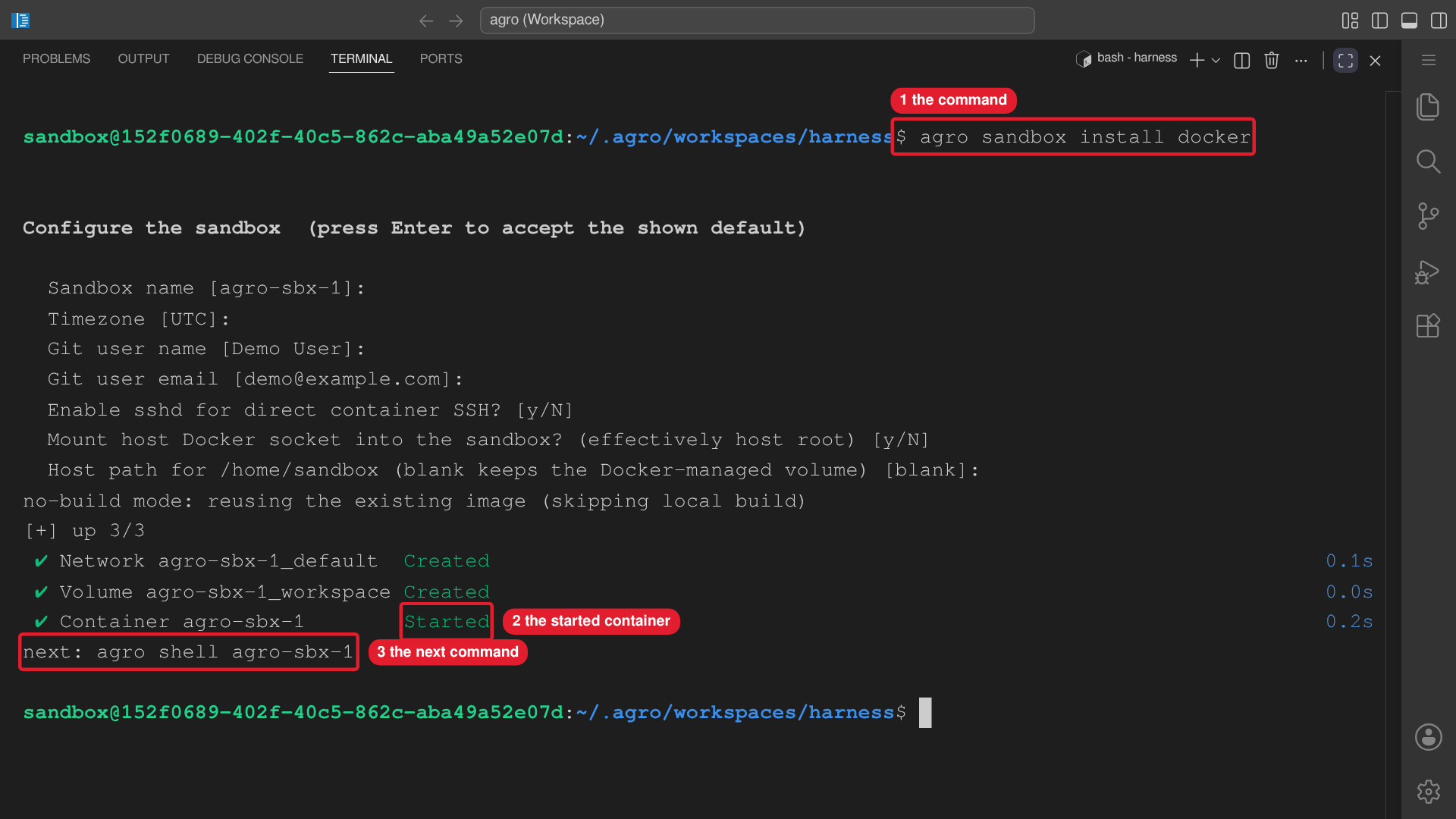 Callouts: 1 is the command. 2 is the started container. 3 is the next command.
The wizard asks for the sandbox name, the timezone, your git identity, SSH, the
host Docker socket, and the host path for /home/sandbox. --yes keeps every
default. The default name is agro-sbx-<n>. The entry lands in
~/.agro/sandboxes/<name>/.
Without --checkout, the sandbox runs the published image and needs no project
checkout. To bind your own checkout at /home/sandbox/harness, see
Installation → Create the sandbox.
3. Enter the sandbox
agro sandbox list   # name, runtime, status, checkout
agro shell <name>   # zsh in the container, as the sandbox user
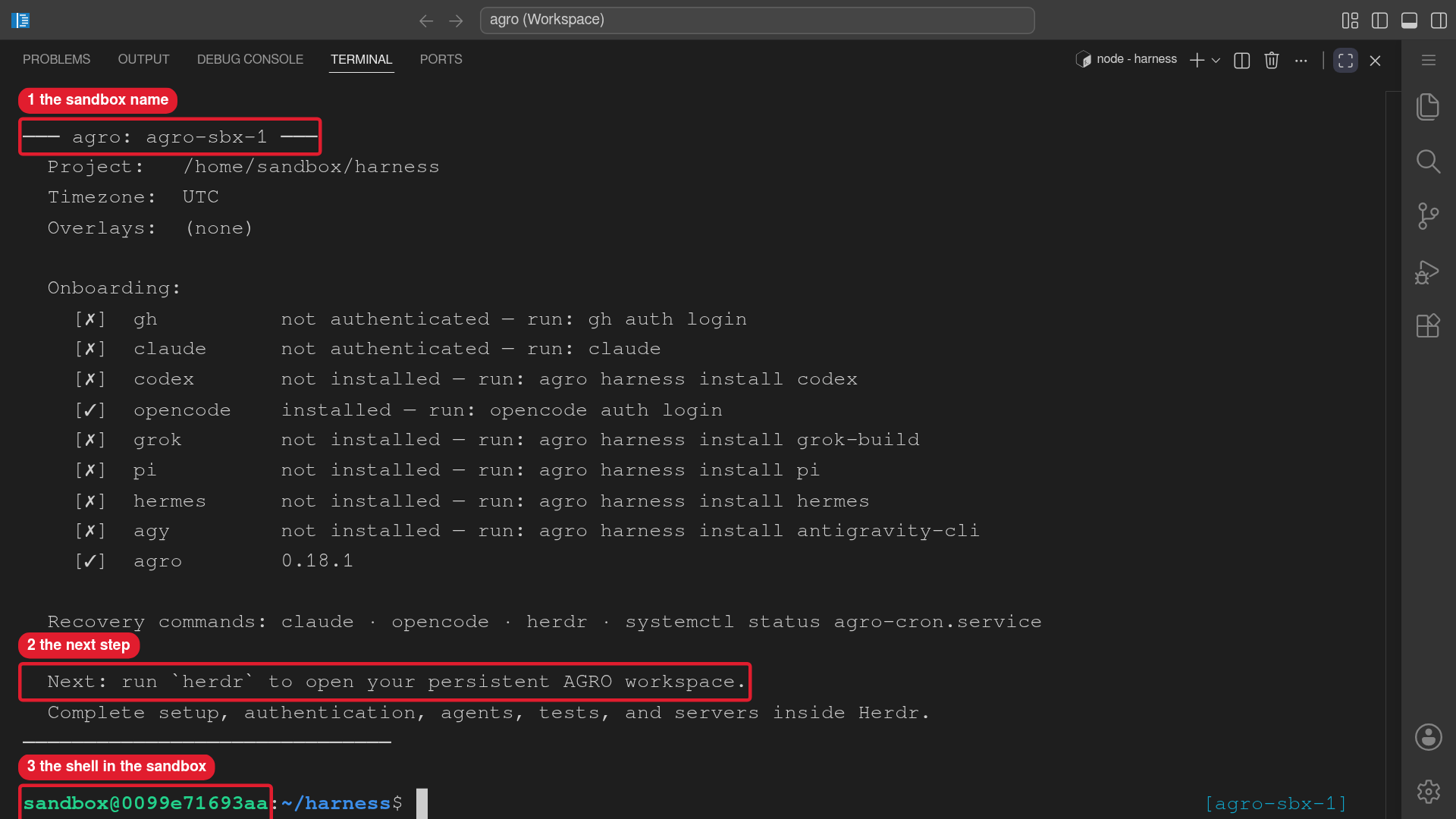 Callouts: 1 is the sandbox name. 2 is the next step. 3 is the shell in the sandbox.
Omit <name> when the registry holds one sandbox. The working directory is
/home/sandbox/harness. To attach VS Code or connect from another machine, see
Connecting to the sandbox.
Start Herdr first
A fresh sandbox has no herdr. Nothing installs at boot. Run these two commands
first:
agro tool install herdr
herdr
Herdr is the persistent workspace for agents, tests, and development servers.
Run every later step in a Herdr pane. Detach with Ctrl-b q. Run herdr again
to reattach. The container keeps running after you detach. See
Herdr.
4. Install a harness
The image contains no agent CLI. Install one harness, then authenticate it:
agro harness install claude-code
claude auth login
claude auth status
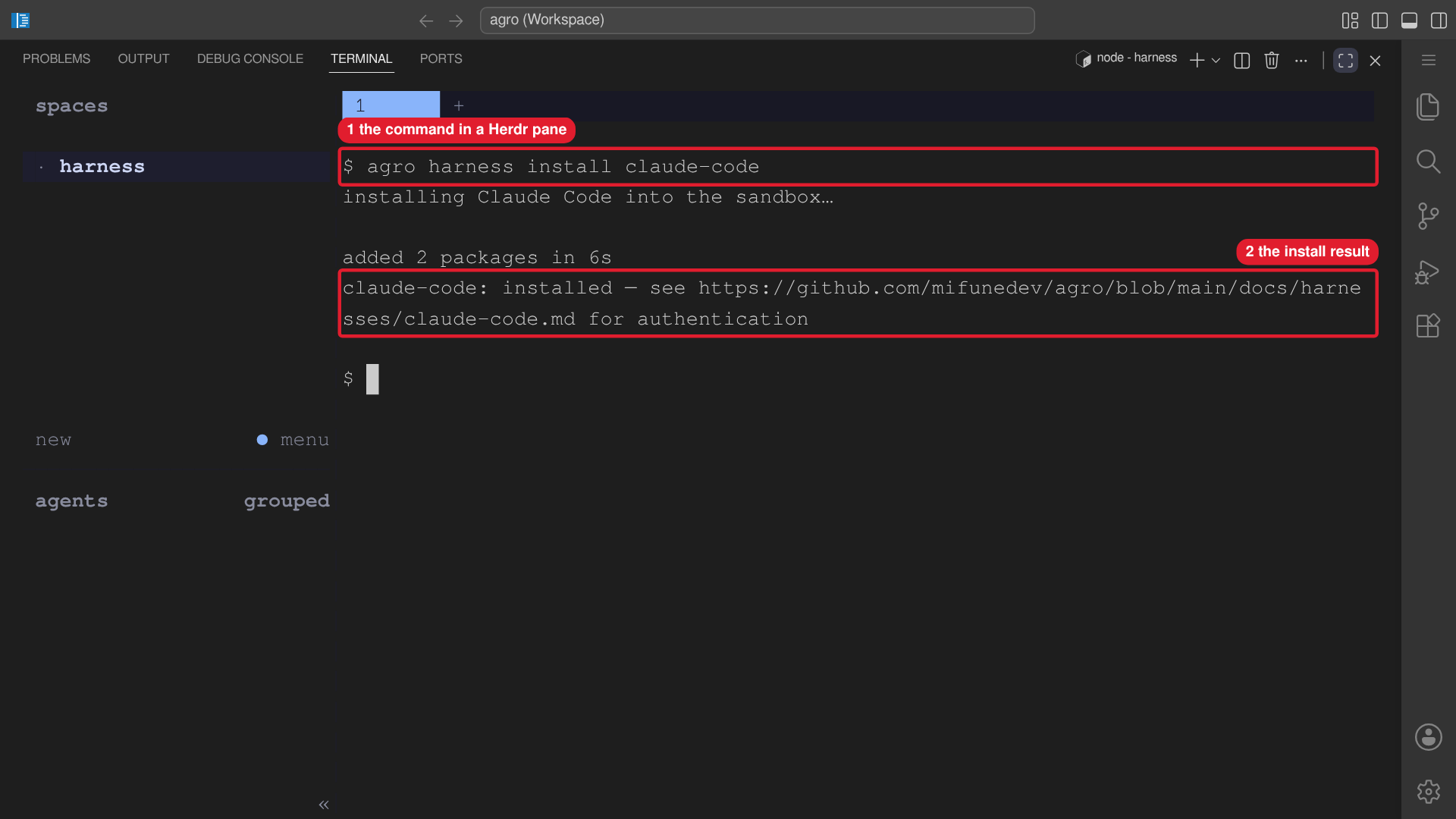 Callouts: 1 is the command in a Herdr pane. 2 is the install result.
Each install lands in ~/.local in the persistent home volume. Run
agro harness list for every harness id. Each
harness guide gives its login command.
On a remote or headless sandbox, use device login. Start the agent, run
/login, and choose device mode. Open the printed URL on any device.
The sandbox now works. The next sections are optional.
Authenticate GitHub before any repository work
Local sandbox use needs no GitHub account. A push, a new repository, and a pull request need one. Provider login does not give repository access.
Do these steps in a Herdr pane, in this order:
- Run
gh auth login. - Run
gh auth setup-git. - Run
gh auth status. - Confirm that the output names the intended account.
- Send one optional prompt below to the authenticated agent.
gh auth login
gh auth setup-git
gh auth status
If you set GH_TOKEN before install, the entrypoint runs the login and the
credential setup for you. Run gh auth status to confirm. Protocol choice, SSH
keys, and recovery are in GitHub auth.
Optional prompt — version-control this sandbox privately
I have completed
gh auth loginand verified the intended GitHub account inside this sandbox. Help me version-control this sandbox workspace in my own private GitHub repository. Recheck GitHub authentication before acting, then inspect existing Git history and remotes. Preserve my files and existing repository configuration. Review ignore rules and the proposed tracked files for credentials, runtime state, logs, and unrelated projects. Ask me to confirm the account, repository name, and private visibility before creating the repository. Show me the proposed commit contents and ask before pushing. Do all work inside this sandbox; do not create a host-side source checkout.
Optional prompt — prepare an AGRO contribution
I have completed
gh auth loginand verified the intended GitHub account inside this sandbox. Help me prepare an AGRO contribution from this sandbox. Recheck GitHub authentication before acting. Inspect existing remotes and check whether this checkout shares history with the canonical AGRO repository. If the histories share ancestry, help me configure an upstream remote and a contribution branch without changing my private origin. Otherwise, use a separate ordinary upstream checkout inside this sandbox and transfer only the changes I select. Keep private configuration, credentials, and unrelated files out of the contribution. Confirm the fork, target branch, and diff with me before pushing or opening a pull request. Do not replace the live workspace or create a host-side source checkout.
The branch, commit, and pull-request rules are in Contributing.
Configure
Settings live in agro.json, and secrets live in a gitignored .env. Change
them on the host:
agro config set --sandbox <name> <field> <value>
agro secret set --sandbox <name> <KEY>
agro stop <name> && agro sandbox install docker --name <name>
The field reference and the secret allow-list are in Configuration. Slack setup is in Slack.
Tear down
Run these commands on the host.
Stop the sandbox and keep its home volume, logins included:
agro stop <name>
agro sandbox install docker --name <name>   # start it again
Warning: agro destroy deletes the home volume, with every agent login and
every install in it. The command has no undo. To remove the sandbox, its
volumes, and its registry entry:
agro destroy <name>
See Lifecycle commands.