GitHub
AGRO uses the GitHub CLI (gh) for GitHub authentication inside the sandbox.
This page is the command reference: protocol choice, SSH key upload,
verification, and recovery. The onboarding order lives in
Quickstart → Authenticate GitHub before any repository work.
Local sandbox use needs no GitHub account. A push, a new repository, and a pull request need one. Provider authentication (Claude, Codex, Pi) signs in to the model provider, not to GitHub, and grants no repository access.
One-time login
Inside the sandbox, in a Herdr pane, run these commands in order:
gh auth login       # authenticate the intended GitHub account
gh auth setup-git   # register gh as Git's credential helper
gh auth status      # confirm the account and its access
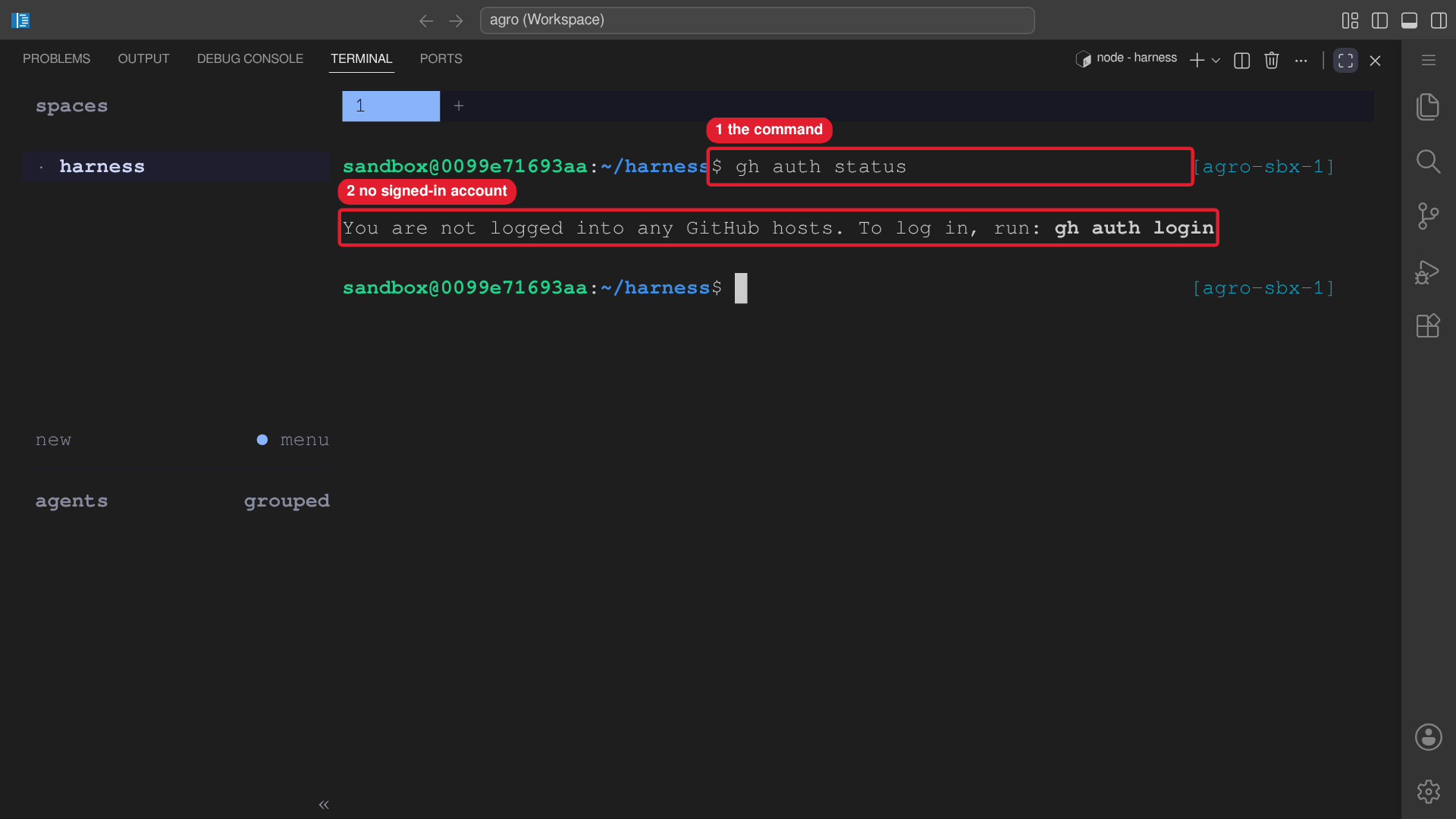 Callouts: 1 is the command. 2 is no signed-in account.
gh auth login runs a browser or device OAuth flow and saves the token in
~/.config/gh/. gh auth setup-git makes gh the Git credential helper, so
git uses the stored token without a prompt. gh auth status prints the host,
the account, the protocol, and the token scopes. Before you give the workspace
to an agent, confirm that the account is the intended account.
Do the first login yourself. An agent cannot complete an interactive OAuth flow, and an agent cannot verify which account you intend.
SSH authentication
An SSH remote (git@github.com:...) pushes with a key that lives in the
/home/sandbox mount. The key survives a container restart. Get a key that
GitHub trusts in one of two ways.
A. Interactive: pick SSH during gh auth login.
gh auth login
# ? What account do you want to log into?   GitHub.com
# ? What is your preferred protocol for Git operations?   SSH
# ? Generate a new SSH key to add to your GitHub account?   Yes
#   (accept the path, empty passphrase, give it a title)
# ? How would you like to authenticate?   Paste an authentication token
Paste a classic personal access token with the repo, read:org, and
admin:public_key scopes. Add workflow if you run gh repo create. Then gh
uploads the new public key for you.
B. Automatic: GH_TOKEN at container start. If the sandbox starts with
GH_TOKEN set, the entrypoint creates an ed25519 key pair at
~/.ssh/id_ed25519. The entrypoint uploads the public key to GitHub with the
title agro-<sandbox-name>. The upload needs the admin:public_key scope.
Without that scope, the entrypoint creates the key but skips the upload, and
HTTPS with the credential helper still works. The entrypoint skips a key that
GitHub already holds.
Verify the key:
gh ssh-key list
ssh -T git@github.com    # "Hi <user>! You've successfully authenticated…"
Recovery and repair
| Symptom | Command | Notes |
|---|---|---|
| Unknown GitHub account | gh auth status | Run gh auth status before a push and after a token change. |
| Wrong GitHub account | gh auth logout --hostname github.com, then gh auth login | Log out first. A second login does not replace the first login. |
git push prompts for a password | gh auth setup-git | ~/.gitconfig has no gh credential helper. |
Permission denied (publickey) | gh ssh-key list, then ssh -T git@github.com | The account lacks the key, or the remote uses SSH and only HTTPS works. |
gh repo create refuses | gh auth refresh -s repo,workflow | The token lacks a scope. The SSH key upload needs admin:public_key. |
Login and keys gone after agro destroy | gh auth login | agro destroy deletes the home volume. Use agro stop to keep the volume. |
Credential persistence
The gh token lives in ~/.config/gh/, inside the /home/sandbox mount. The
token survives agro stop and agro sandbox install docker. agro destroy
deletes the home volume with the token and the keys. After a destroy, run
gh auth login again. storage.homePath in agro.json keeps the home on a
host path, and agro destroy leaves a host path in place.