API tokens
An API token lets a script call the Mifune Console API as you. A request with the token gets your current role in the context of the token.
Before you start
You must have the operator role or the admin role in the current context. A viewer cannot create a token. For the roles, read Organizations.
You manage tokens only in the Console in your browser. A request with a token cannot create, list, or revoke a token.
Token scope
A token belongs to you. The token also belongs to the context that you select when you create the token. Before you create a token, use the context switcher to select that context.
A request with the token acts in that context only. The role of the request is your current role in that context. If an admin changes your role, the token gets the new role.
A token stops working in these conditions:
- You revoke the token.
- You leave the organization of the token.
- An admin removes you from the organization of the token.
Create a token
-
Open the user menu. The user menu shows your GitHub login.
-
Select Tokens. The API tokens page opens.
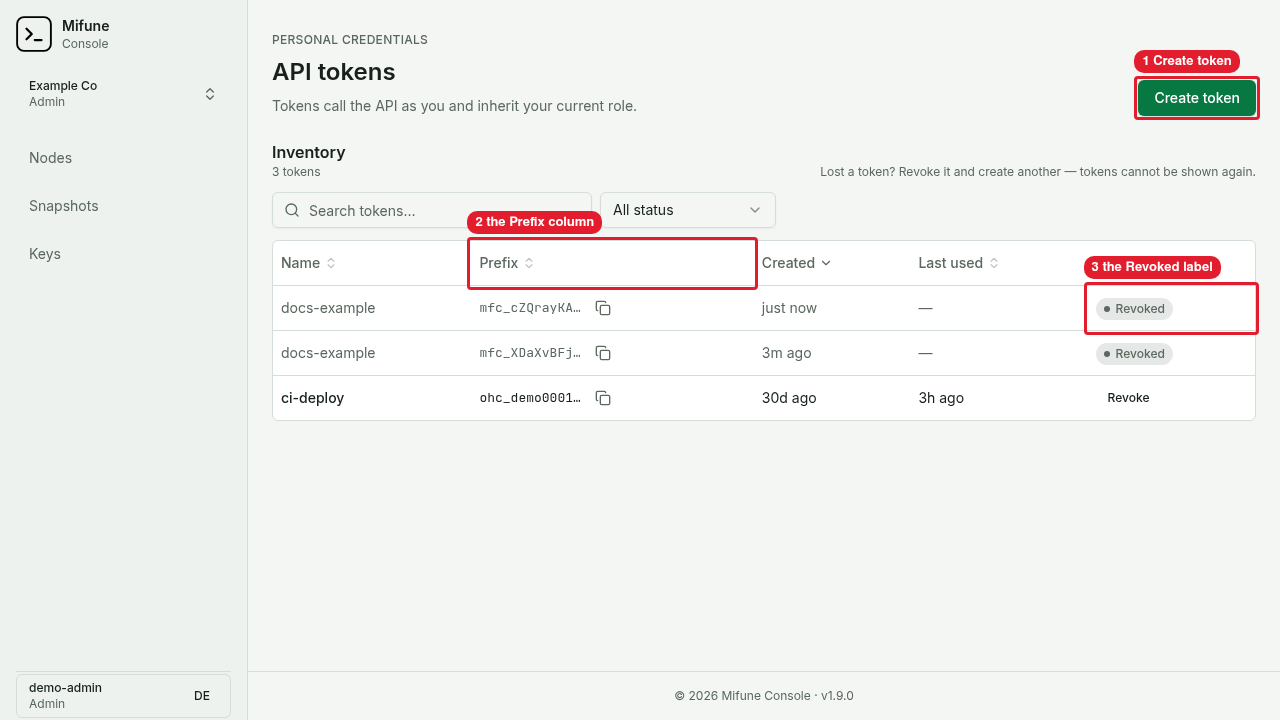 Callouts: 1 is the Create token button. 2 is the Prefix column. 3 is the Revoked label.
 -
Select Create token.
-
In Name, type a name for the token. The name has 1 to 120 characters.
-
Select Create. The Token created dialog shows the token.
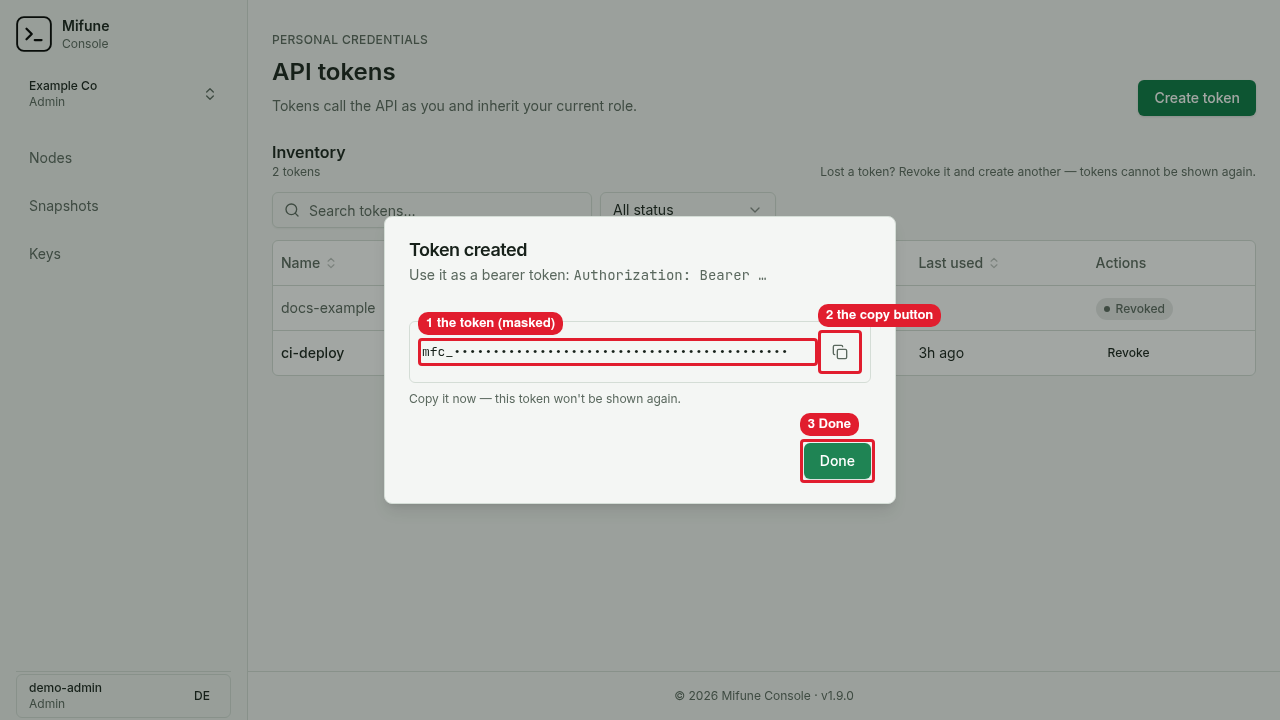 Callouts: 1 is the token, with a mask on the value. 2 is the copy button. 3 is the Done button.
 -
Select the copy button, and keep the token in a secure location.
-
Select Done.
Warning: The Console shows the token one time only. After you select Done, you cannot see the token again. If you lose the token, revoke the token and create a new token.
The API tokens page lists each token with its Name, Prefix, Created, and Last used values. The prefix is the start of the token. Use the prefix to identify a token.
Use a token
Send the token in the Authorization header with the Bearer scheme. This example lists the nodes of the context of the token:
curl -H "Authorization: Bearer <token>" https://console.mifune.dev/api/nodes
Replace <token> with your token.
The Console returns HTTP 401 for a revoked token or an incorrect token. The Console returns HTTP 403 for an action above your role.
Some actions need a signed-in browser session. A request with a token cannot do those actions.
Warning: A token gives the same access as your role. Do not put a token in a public repository, a log, or a chat message.
Revoke a token
A token has no expiry date. A token works until you revoke the token, or until you lose access to its context.
Warning: Revoke takes effect immediately. Each script that uses the token stops working. You cannot undo a revoke.
- On the API tokens page, find the token.
- Select Revoke.
- Select Revoke in the confirmation.
The token stays in the list with the label Revoked.